Re-build ripplet.org
Move my personal site off of Squarespace
ripplet.org ↗Overview
After tasting the joy of being able to extend a website at will (more or less) through building this Build site with Astro, the static site generator, I really wanted that freedom for my personal site.
My site lived on Squarespace for 12 years. The effort-to-result ratio is not bad. But now that I had other options, it was time to move on. I re-built my personal site with Astro in small chunks, then layered on small improvements that wouldn’t have been possible with an out-of-the-box CMS.
Steps
Stage 1:
- Export Squarespace site — Squarespace offers a single-file XML export
- Extract blog type content into markdown files
- Build vanilla HTML prototype, with as similiar as possible styles
- Set up Astro scaffolding and incorporate structure and styles from HTML prototype
- Migrate Weeknotes blog
- Set up RSS feed for Weeknotes
- Migrate Liberating Structures Field Notes blog
- Move DNS management to Cloudflare, so I can have a hybrid Squarespace/Astro site
- Migrate travel pages
- On travel pages, replace Strava widgets with my own (see: cycling route viewer)
- Migrate other content pages
Stage 2:
- Refactor CSS
- Clean up the homepage
- Create new “writing” section
- Switch over all Cloudflare DNS routing
- Cancel Squarespace — having paid a total of $1,920 since 2014
Stage 3:
- Web standards push - XML sitemap, meta tags, Open Graph tags, full JSON-LD schema graphs, image lazy loading, datetime tags
- Set up script to auto-generate page descriptions
- Security headers
New features
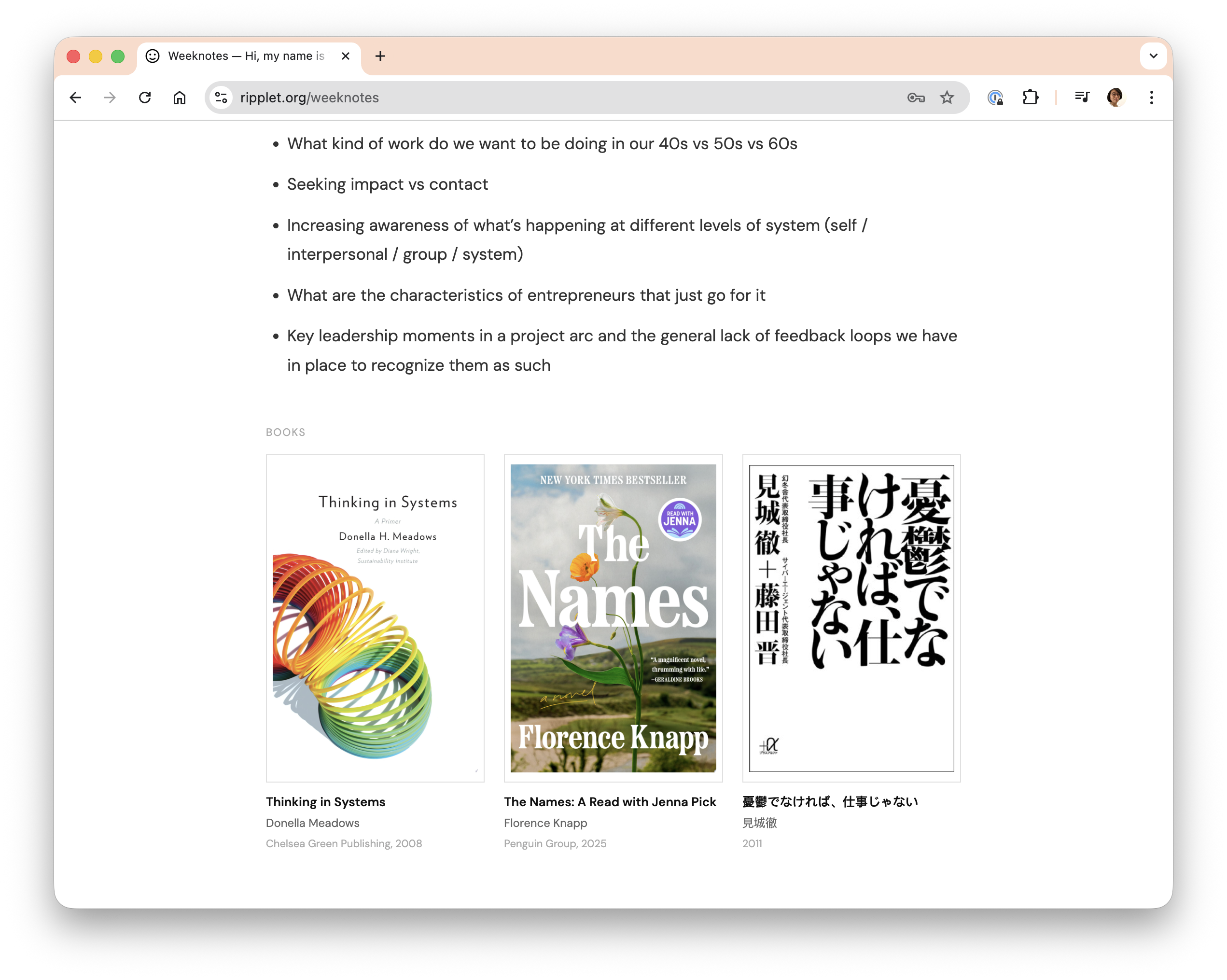
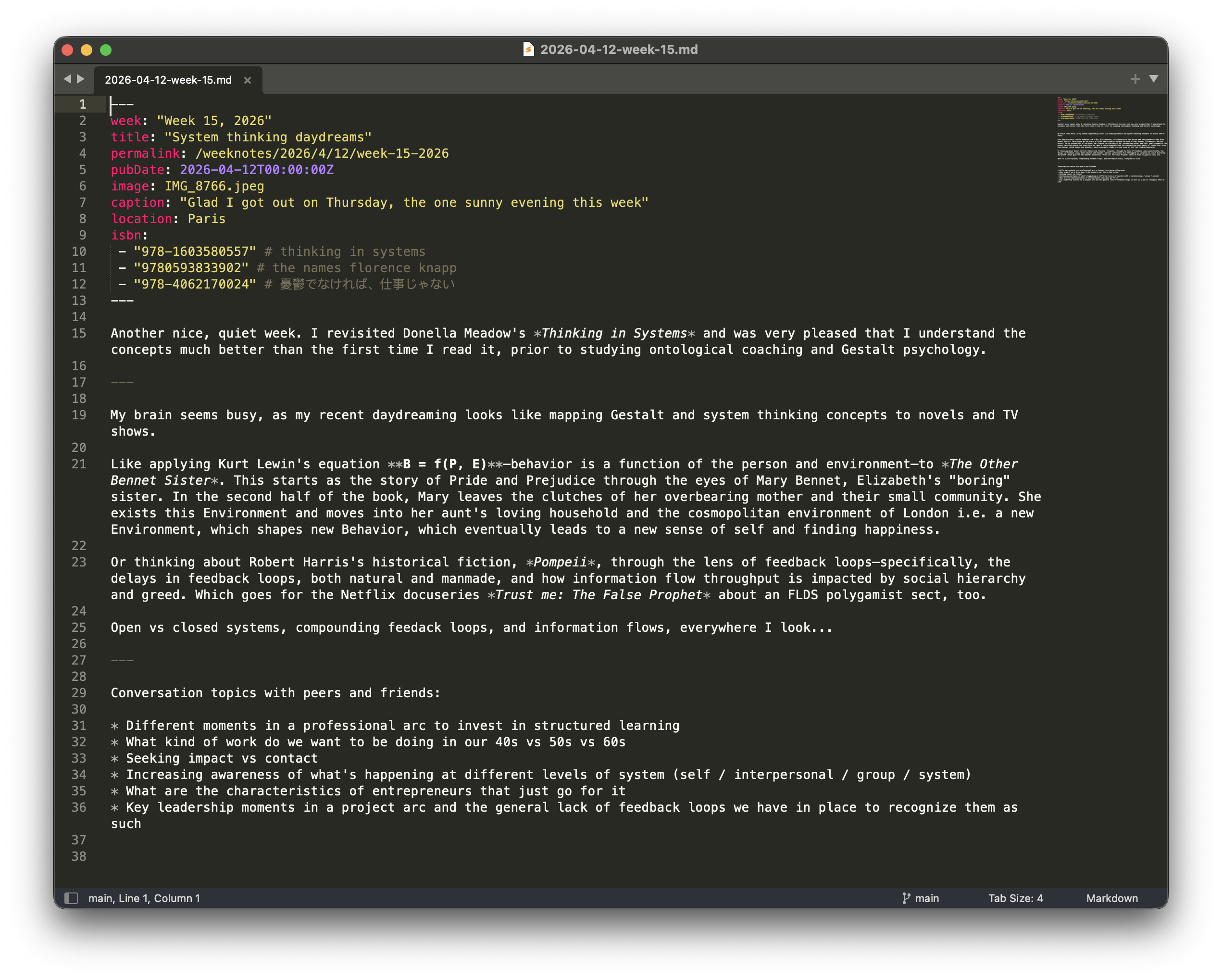
- Build-time data fetching for book metadata (Google Books, OpenBD, Open Library, Amazon)
- Build-time data fetching for weather data (Open-Meteo)
- Show most recent entries from my Buttondown newsletter
- Auto-populate lists that have both articles and external links
- .heic are auto-converted to .img and compressed to a web-optimal size
- Templates per content collection
- Auto-generate page descriptions
What it looks like
Notes
- Squarespace’s export feature is less than bare bones, but I was able to download a single XML file with all of the content, and working with Claude Code to turn it into individual markdown files was a breeze.
- Setting up DNS routing to get the Astro site to display on /weeknotes (while the rest of the site was on Squarespace) was trickier. It took me a few hours to figure out.
- For Weeknotes, I pre-created markdown stubs for the remaining weeks of the year. A great example of a task that requires command line access!
- Here’s another thing you can’t do with a CMS: add a script that takes any new .HEIC image (which is what my iPhone save), converts it to jpeg, compresses it to a web-friendly size before uploading it to Github - all automatically, when the site is deployed.
- A simple widget to display book information based on ISBN code turned out to have a lot of hidden complexity: multiple APIs with different quirks, quota limits, five different ISBN formats, build-time vs runtime constraints, caching across ephemeral environments.
In review
Twelve years is a long time to stay on a piece of infrastructure. I switched from Wordpress to Squarespace because I thought it was the best platform option for people who just need a simple content site. I still think it’s the case. But it was never good at content publication - you could tell that editorial was never part of their product ethos - and I watched the price hike accelerate in recent years, with a growing set of irrelevant-to-me features - e-commerce, scheduling, paid newsletters etc. Sometimes I would get fed up and start re-building on Wordpress. But that never took, and their switch to Gutenberg was the final blow to any serious attempt to move back. So it was always an uneasy stay on Squarespace.
If I can stay on this Astro tech stack for a few years, the migration will have been worth the effort. I think it’s likely! Everything just feels clean and more settled, which invites the desire to write and build. That’s always a good sign for a website.